
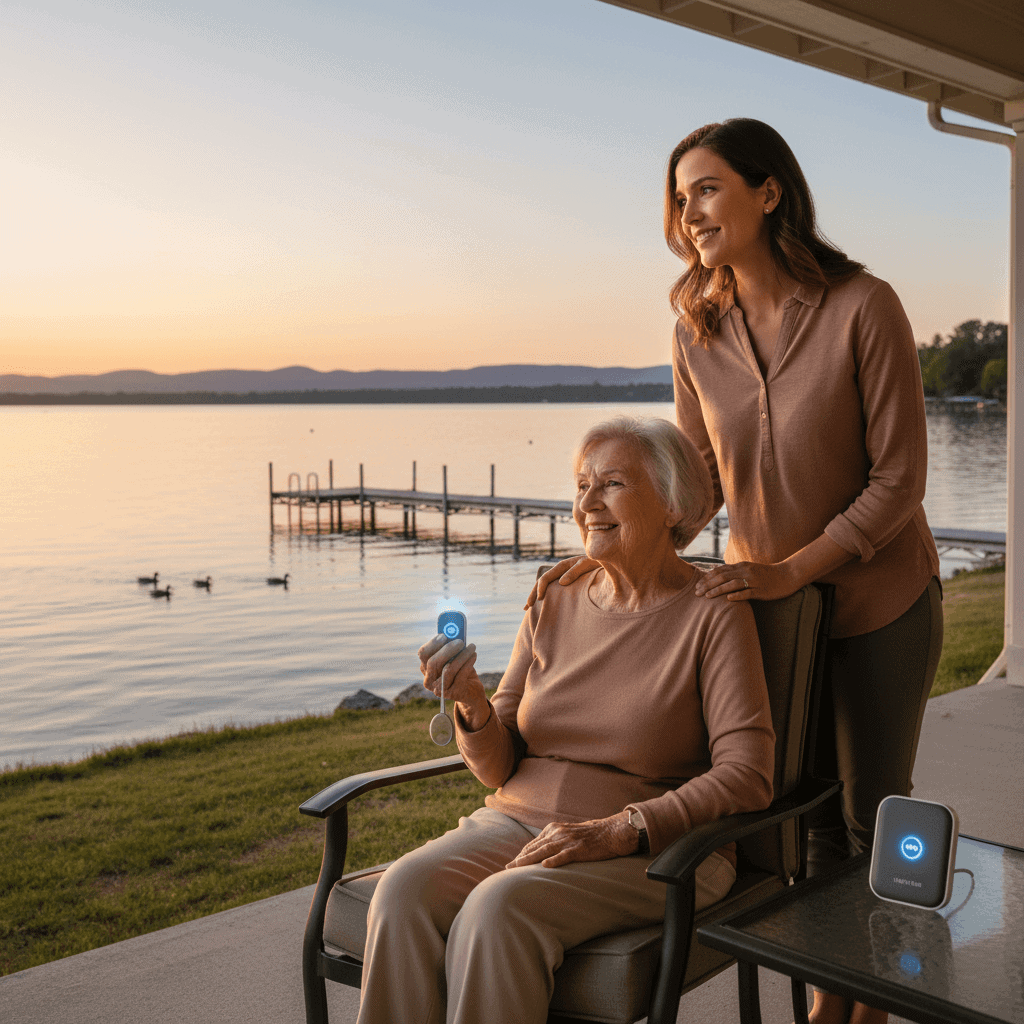
Real Peace of Mind Senior Alert Systems Deliver
Seniors who live alone or with limited mobility face risks that many families do not see until an emergency happens. A wearable button pressed after a fall or a home base device that calls for help can change the outcome of a crisis. In everyday life these systems work quietly in the background and step in when seconds matter, offering immediate human contact and access to emergency services when needed.
This article explores how senior alert systems work, which features matter for safety and independence, and practical tips for making them part of daily life. Through examples, cost considerations, and real user stories, you will gain a clear picture of what these tools offer and how they can fit into a care plan.
How senior alert systems reduce risk at home and on the go
Falls are the leading cause of fatal and nonfatal injury among older adults. Rapid response after a fall lowers the chance of complications such as dehydration or prolonged pressure injuries. Alert systems provide a direct line to help which can cut response time from hours to minutes. That difference alone can reduce hospital stays and improve recovery outcomes.
Beyond falls, medical events such as heart problems or sudden illness can require urgent attention. Many systems offer 24 hour monitoring centers staffed by trained operators who can assess a situation and send emergency services when needed. For seniors who cook, shower, or move around the house without immediate family nearby, a device delivers a clear path to assistance.
Core features to look for in senior alert systems for dependable protection
Selecting the right system starts with a checklist of features that match daily routines and health needs. Not every senior needs the same options, and cost and coverage vary. Here are practical features to compare when evaluating systems.
- Two way voice so an operator can talk directly to the senior through the unit
- Automatic fall detection that calls for help if a hard impact is sensed
- Mobile GPS tracking for seniors who leave the home
- Water resistant wearables so devices work in the shower
- Battery backup for power outages
Example scenario
Mrs Thomas lives alone and enjoys neighborhood walks. A mobile pendant with GPS and fall detection follows her outside the home. When she slipped on uneven pavement, the device alerted a monitoring center and sent emergency services to the exact location reported by GPS. The combination of automatic detection and location reporting shortened the time to care.
Types of senior alert systems and which one fits daily needs
Alert systems come in several formats. Picking the right style depends on where help is most likely to be needed and how active the senior is.
Wearable pendants and wristbands
These are convenient for seniors who move around the home and neighborhood. Pendants can be pressed manually to call for help. Many models are water resistant and small enough to wear during bathing and sleep. Battery life varies by model and use. For highly mobile seniors choose a device with cellular connectivity and GPS capability.
Home base systems and fall detectors
Home base units connect to a phone line or cellular network and cover a fixed area in the house. They provide strong audio through a base speaker and are useful for seniors who spend most of their time at home. Fall detectors can be wrist based or worn as pendants and automatically alarm when a hard impact is detected. For households with pets and active grandchildren select a device with refined algorithms to reduce false alarms.
How alert systems support family caregivers and social connections
Family caregivers balance scheduling, errands, and emotional support. Knowing a monitored system is active reduces the need for constant physical checks and phone calls. Instead of frequent interruption, caregivers can receive notifications only when the system detects an event or when the user requests help.
Consider a son living a few towns away. He receives text alerts when his mother presses her button or when a fall is detected. Those messages include the time and whether emergency services were contacted. That level of situational awareness helps him plan visits and coordinate with neighbors or local caregivers when necessary.
Many systems allow sharing access with multiple trusted contacts. This way siblings, neighbors, and professional caregivers can be looped in and assigned roles such as first responder or backup contact. This shared approach reduces stress and keeps everyone aligned on actions to take when an alarm is triggered.
For families exploring options in depth a useful resource is available to discover the benefits of different alert models and monitoring plans. That page outlines common features and real user feedback to help match a product to individual needs.
Cost, payment options, and coverage considerations
Price is a practical concern. Upfront hardware costs can be low for basic home base units and higher for GPS enabled mobile units. Monthly monitoring fees range widely depending on whether the service uses cellular networks, has 24 hour live monitoring, or includes medical personnel.
- Basic home monitored system with landline may have low monthly fees
- Cellular systems that include GPS typically have higher monthly costs
- Contracts vary some companies offer month to month others require annual commitments
Insurance coverage for these devices is limited. Medicare does not typically cover personal emergency response systems. However veterans and some state programs offer partial support. Non profit organizations and local aging agencies sometimes provide subsidies or loaner devices for low income seniors. When cost is a barrier look for rental options or programs through community agencies.
Practical tips for getting started and keeping the system reliable
Installing a system and integrating it into everyday life takes a few deliberate steps to get right. Here are tips that help maintain functionality and user comfort.
- Test the device weekly at a regular time to confirm the signal reaches the monitoring center
- Keep the wearable on the person during high risk activities like showering and walking
- Charge devices nightly if they are battery powered and track battery status during routine checks
- Create a written emergency plan listing medications, allergies, and emergency contacts to share with the monitoring service
- Label the device and explain how it works in simple language so the senior will use it without hesitation
Training and routine help adoption. Walk through a mock alert with the senior so they become comfortable pressing the button. Reassure them that operators will ask for their name, location, and nature of the problem and will remain on the call until help arrives or the situation is resolved. Practical familiarity removes hesitation at critical moments.
Common concerns and how to address them
Seniors sometimes worry about privacy or feeling monitored. Addressing these concerns openly builds trust. Explain that monitoring centers respond only when an alarm is triggered. Many services follow strict privacy rules and allow family members to choose how and when notifications are sent.
False alarms are another worry. Choose a product with adjustable sensitivity settings and test in real conditions. Many providers offer short trial periods so a household can evaluate false alarm rates before committing.
Another common concern is stigma related to wearing a device. Modern designs are smaller and resemble everyday jewelry or watches. Letting the senior pick a style they like can remove resistance and increase consistent use.
Finally consider redundancy. If a phone line is the primary connection, add a battery backup or choose a cellular model to avoid service gaps during power outages.
Conclusion
Senior alert systems provide a practical safety net that reduces the gap between an emergency and help arriving. They come in a range of designs and price points so families can select the level of coverage that matches daily activity patterns. Whether the priority is in home coverage with a base station, on the go protection with GPS, or automatic fall detection, the right system can lower the consequences of an unexpected event and support a more independent life for the senior.
When choosing a system compare features, test devices with the actual user, and plan for routine maintenance. Look into local programs for possible financial support and involve trusted family members in monitoring settings. Start with a short trial or rental when possible to see how the device fits into daily routines. Taking these steps will help you put a reliable safety solution in place without adding stress to the household. If you are ready to evaluate options and learn more about what different models offer, begin by researching reputable providers and testing a device with a short-term plan. Small planning steps taken now can mean faster help later when it matters most.